AliPos POS (till)

AliPos POS — a till that’s easy for cashiers and transparent for owners

Runs on a Windows computer or monoblock. Order, payment and receipt in seconds.

Live in 1 day

Taking orders
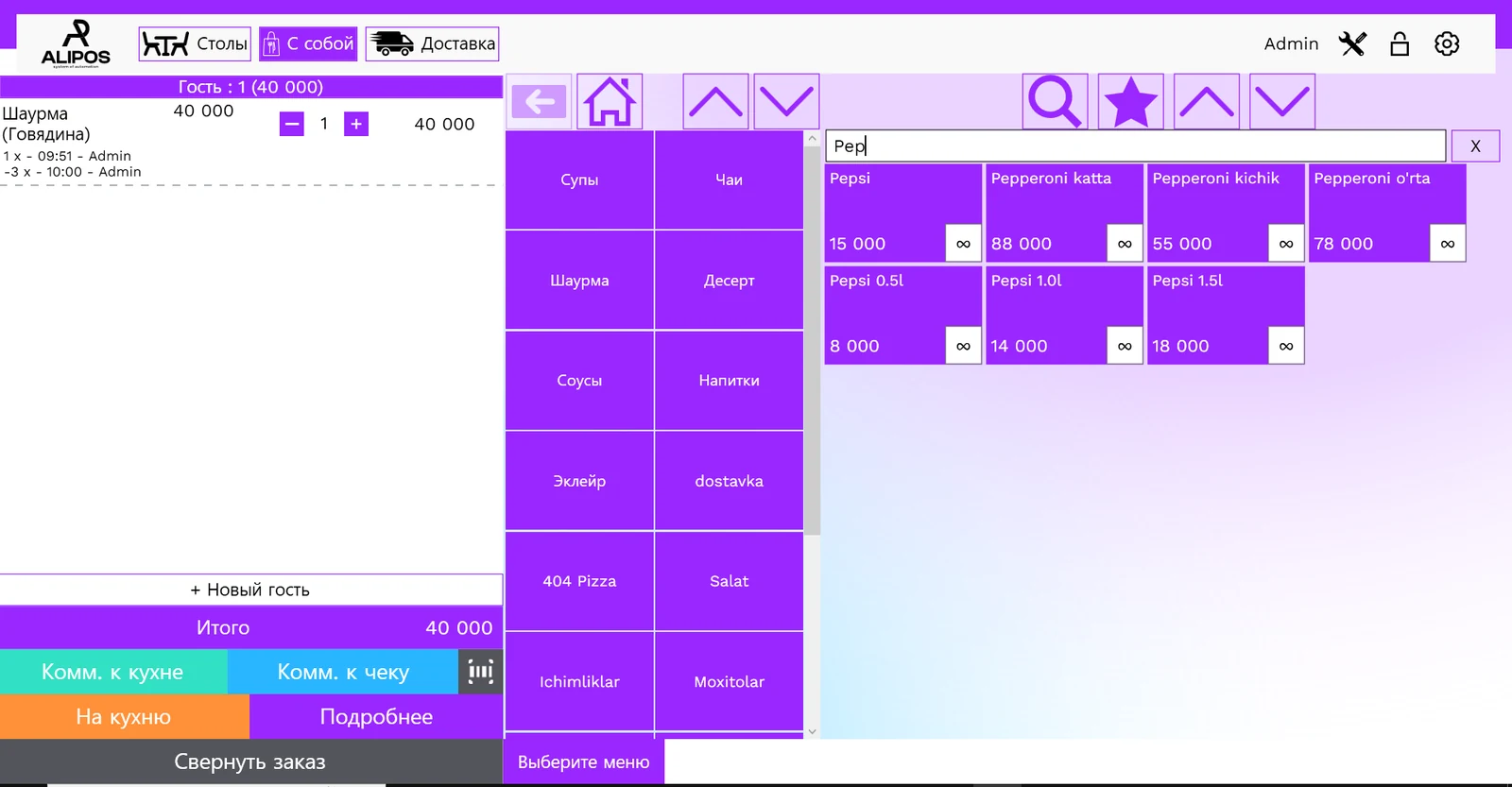
Menu searchTo the kitchen in one tap

Menu by category, guests at the table, notes for the kitchen and the receipt. One button sends the order to the kitchen.

Features

Everything you need to work

Hall and table plan

Every table’s status at a glance.

Modifiers and combos

Sauce, size and extras in one tap.

Split and merge bills

Groups pay however they like.

Cash, card, Payme, Click, Uzum, Paynet and QR payments.

Multi-window mode

Several orders at once.

Offline mode

Via a local server in the venue; data syncs with the cloud when the connection returns.

Staff permissions

Discounts and deletions only with approval.

Shift open and close, shift report.

How it looks

AliPos POS (till)

Taking orders

An order in a few taps

Menu by category, guests at the table, notes for the kitchen and the receipt. One button sends the order to the kitchen.

  • Modifiers and combos
  • Order by guest
  • Kitchen notes
Taking orders
Menu searchTo the kitchen in one tap
Floor plan

Every table at a glance

Free and busy tables with the amount and waiter for each. Several halls and a “My orders” tab.

  • Halls and tables
  • Open bills
  • Move table
Floor plan
Busy table: amount and waiterHalls and “My orders”
Payment

Payment and receipt without a queue

Cash, card and your own payment types — by currency, payment system or purpose. Change, discounts and service charge; an order can be closed on credit.

  • Custom payment types
  • Discounts and bonuses
  • Close on credit
Payment
Custom payment types: by currency, system or purposeBonuses, service, discount
Delivery

Delivery and takeaway in the same till

Customer, address and delivery fee right in the order — no separate app.

  • Customer phone
  • Address
  • Delivery fee
Delivery
Customer and addressDelivery fee on the bill

Devices

Comfortable wherever you serve

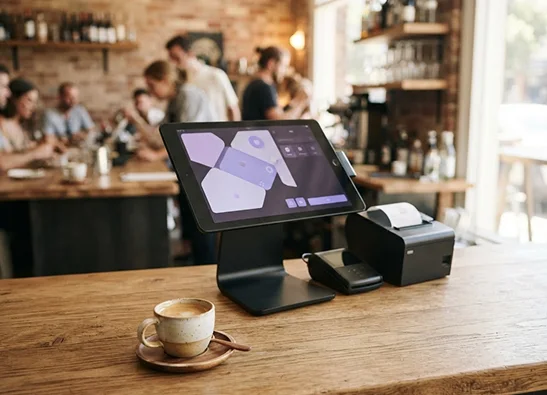
Windows computers and monoblocks (recommended: Intel Core i5 6th gen or newer, 4 GB RAM, SSD), a local server for offline work, receipt printers, cash drawers and scanners.

Discuss equipment

Let’s sort it out

Answers to your questions

We’ll discuss your venue format and help with the details.

Which devices does the till run on?

On Windows computers and monoblocks. We recommend an Intel Core i5 (6th gen or newer), 4 GB RAM and an SSD. Details on the Equipment page.

What if the internet goes down?

Yes. A local server is installed in the venue: if the internet drops, the till, waiters and kitchen keep working over the local network, and data syncs with the cloud once the connection is back.

Does it issue fiscal receipts?

Yes, it works with online tills and the fiscal module. See the Fiscalization page.

Your next shift starts here

Try AliPos, and you’ll be surprised you ever worked any other way!

Leave a request: we’ll call back in 15 minutes and set up the till in 1 day.

+998 55 704-99-99Live in 1 day

Get a demo — we’ll help set up your menu

Enter the full number: +998 XX XXX-XX-XX

We’ll call you back within 15 minutes

  1. 1Video
  2. 2Request
  3. 3Online demo
Want this in your venue?